起点软件园:打造绿色软件,免费软件下载基地!
您的位置:起点软件下载电脑软件系统软件Creative Cloud Uninstaller Mac版 V3.1.0.20 官方版

Creative Cloud Uninstaller Mac版 V3.1.0.20 官方版 Creative Cloud Uninstaller Mac版 V3.1.0.20 官方版

软件大小:1.2MB

用户评分:

软件类型:国产软件

运行环境:Win All

软件语言:简体中文

软件分类:系统软件

更新时间:2017-12-16 14:19:35

授权方式:免费软件

插件情况:无 插 件

Creative Cloud Uninstaller是一款适用于mac平台上的应用卸载工具。该工具不仅可快速卸载应用软件,还可将该卸载应用的所有数据和残留皆删除,给用户一个干净的环境。

【基本介绍】

Creative Cloud Uninstaller Mac版是Mac平台上的卸载Adobe Creative Cloud桌面应用程序的工具。Creative Cloud Uninstaller Mac版能彻底卸载删除Adobe Creative Cloud软件,解决adobe creative cloud无法卸载的问题。

【使用方法】

1. 下载卸载文件打开。
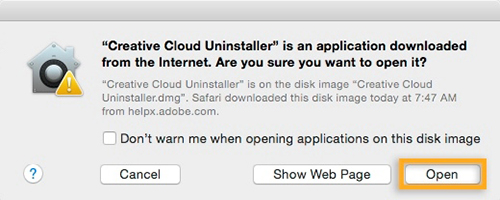
2. 根据您的安全设置,您可能会收到一条 DMG 文件打开卸载程序的警告。单击“打开”以继续。
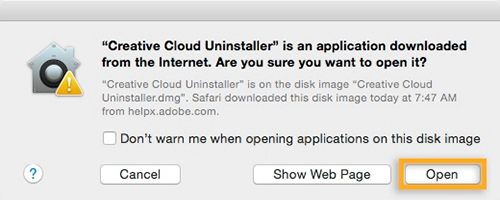
Creative Cloud Uninstaller Mac版
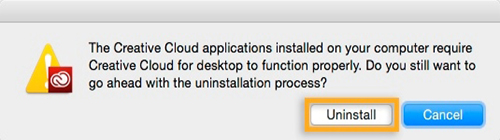
3. 安装程序将提示您确认要卸载 Creative Cloud 桌面应用程序。查看消息,然后单击“卸载”。
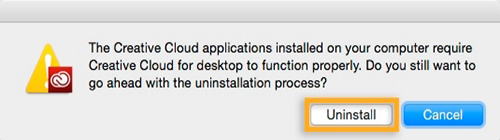
Creative Cloud Uninstaller Mac版
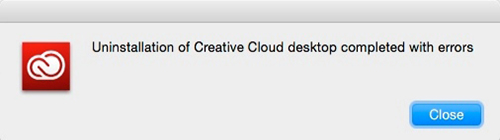
4. 卸载程序将从计算机中删除该应用程序并显示一条确认消息。单击“关闭”。
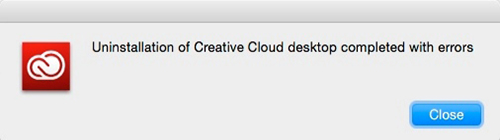
Creative Cloud Uninstaller Mac版

精品软件

  • 下载地址
Creative Cloud Uninstaller Mac版 V3.1.0.20 官方版

用户评论

(您的评论需要经过审核才能显示)0人参与,0条评论
140

最新评论

还没有评论,快来抢沙发吧!